
Download All In One Protector – Secure Document Protection Tool for Windows, Mac, Android & iOS
Protect your sensitive files with All In One Protector, a powerful and user-friendly security tool designed to prevent unauthorized copying, editing, or distribution of your important documents. Whether you're sharing PDFs, PowerPoint presentations, Excel sheets, e-books, videos, images, or executables, this software ensures your content remains secure and unaltered. With advanced encryption and a built-in multimedia player, All In One Protector offers a comprehensive solution for individuals, educators, businesses, and content creators who value data privacy and intellectual property protection.
The software supports multiple file formats and allows you to lock files with password protection, watermarking, and digital rights management (DRM) features. It’s ideal for securing training materials, confidential reports, digital textbooks, and multimedia content. All In One Protector is compatible with Windows, Mac, Android, and iOS, making it a versatile choice for cross-platform users.
Download the free version today and experience peace of mind knowing your documents are safe from unauthorized access and tampering.
Key Features of All In One Protector
One of the standout aspects of All In One Protector is its comprehensive feature set tailored for document security and multimedia protection. The software supports a wide range of file types, including PDF, DOCX, PPTX, XLSX, EPUB, MP4, AVI, JPG, PNG, and even executable (.exe) files. This versatility ensures that no matter what kind of content you're working with, you can apply robust protection measures. A core feature is the ability to lock files with password protection, which prevents unauthorized users from opening or modifying the content. Additionally, the software allows for watermarking, enabling you to embed visible or invisible watermarks that deter copying and help identify the source of leaks.
Another unique feature is the integrated multimedia player, which lets you play CDs and DVDs directly within the application while simultaneously encrypting the content. This means you can securely view or distribute video and audio files without compromising their integrity. The tool also supports batch processing, allowing you to protect multiple files at once, saving time and effort.
Advanced DRM options let you control access rights—such as disabling printing, copying, or screen capture—giving you full control over how your content is used. For educators and businesses, this feature is invaluable when distributing training modules or sensitive reports. The intuitive interface ensures that even non-technical users can navigate the software easily, while still accessing powerful security tools.
All In One Protector also includes automatic update notifications, ensuring you always have the latest security patches and improvements.
Installation & Usage Guide
Installing All In One Protector is a straightforward process, whether you're using Windows, Mac, Android, or iOS. Begin by downloading the appropriate version from the official website. The download is free and comes with no hidden costs or third-party software bundling.
Once downloaded, run the installer and follow the on-screen prompts. The setup wizard guides you through the process, requiring minimal input. On Windows and Mac, you’ll typically need to grant permission for the application to access your files and system resources—this is standard for security software and ensures full functionality.
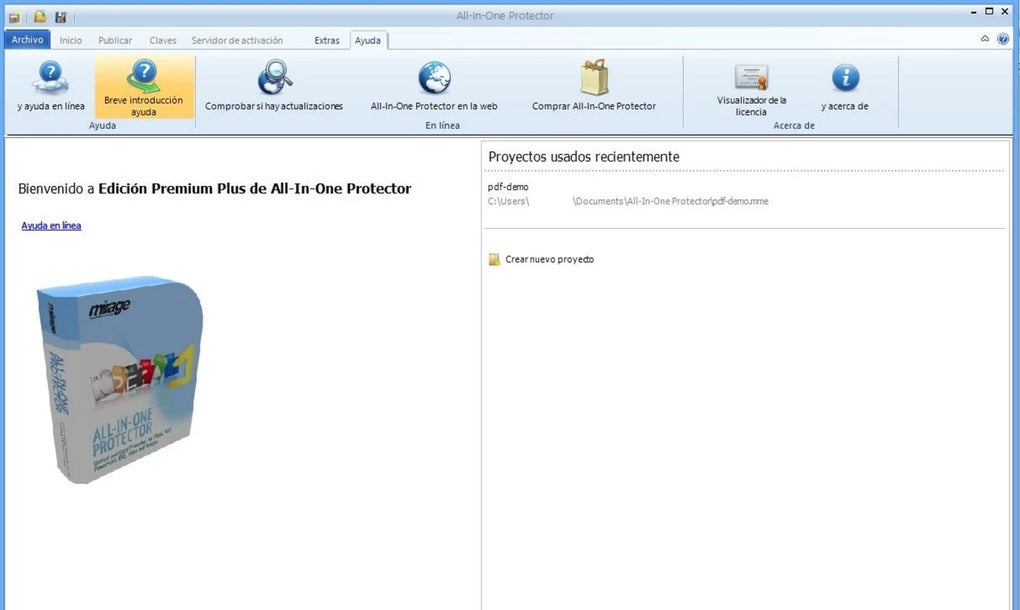
After installation, launch the app and create a new protection profile. You’ll be prompted to select the files you want to secure. The software supports drag-and-drop functionality, making it easy to add documents, videos, or images.
Choose your desired protection level: password protection, watermarking, or DRM restrictions. For example, you can set a password that must be entered to open the file, or apply a visible watermark with your name or company logo. You can also disable specific actions like printing, copying, or screen recording.
Once configured, click “Protect” and the software will encrypt the file using strong AES-256 encryption.
For multimedia files, use the built-in player to preview content before protection. This allows you to verify that the file plays correctly and that your security settings are applied properly. After protection, the file remains accessible to authorized users but cannot be altered.
You can then share the secured file via email, cloud storage, or USB drives. The recipient will need the password or appropriate access rights to open the file. For added convenience, All In One Protector also allows you to generate access codes or time-limited licenses for temporary sharing.
This makes it ideal for short-term collaborations or presentations.
Compatibility & System Requirements
All In One Protector is designed for broad compatibility across modern operating systems. It supports Windows 7 and later (including Windows 10 and 11), macOS 10.13 (High Sierra) and above, Android 6.0 and later, and iOS 12 and later. This cross-platform availability ensures that users can protect and access their files seamlessly, regardless of device. Whether you're working on a desktop, laptop, tablet, or smartphone, the software maintains consistent performance and security standards.
For optimal performance, the recommended system requirements include a dual-core processor, 2GB of RAM (4GB recommended), and at least 500MB of free disk space. The software is lightweight and doesn’t consume excessive system resources, making it suitable for older machines as well. On mobile devices, the app is optimized for touchscreens and offers a responsive interface. It also supports cloud integration with services like Google Drive, Dropbox, and OneDrive, allowing you to protect files directly from your cloud storage. This is particularly useful for remote teams or freelancers who need to secure documents on the go.
Security is a top priority, and All In One Protector uses AES-256 encryption, the gold standard in data protection. This ensures that even if a file is intercepted, it cannot be decrypted without the correct password or access key. The software also includes a secure file vault feature that stores protected files in an encrypted container, adding an extra layer of defense. Regular updates are released to address vulnerabilities and improve compatibility with new file formats and operating system versions. You can enable automatic updates in the settings to ensure you’re always protected against emerging threats.
Pros and Cons
- Pros:
- Supports a wide range of file formats including PDF, PPT, Excel, video, images, and executables
- Offers password protection, watermarking, and DRM for comprehensive security
- Integrated multimedia player for secure playback and protection of CDs/DVDs
- Batch processing for efficient protection of multiple files
- Available for Windows, Mac, Android, and iOS – truly cross-platform
- Lightweight and easy to use, even for beginners
- Regular updates ensure ongoing security and compatibility
- Cons:
- Free version has limited features compared to the full version
- Some advanced DRM settings may require a learning curve
- Mobile version lacks some desktop-specific tools like batch processing
- Occasional lag when protecting large video files
- Customer support is limited to email and FAQ (no live chat)
Frequently Asked Questions (FAQ)
How do I download All In One Protector?
Visit the official website and click the "Download" button. Choose your operating system (Windows, Mac, Android, or iOS). The download is free and safe. No third-party software is bundled with the installer.
Can I protect PDFs and PowerPoint files with a password?
Yes, All In One Protector allows you to set strong passwords for PDFs, PPTX, XLSX, and other file types. The password is required to open the file, ensuring only authorized users can access it.
Is there a free version available?
Yes, a free version is available with core protection features. However, advanced options like time-limited licenses and batch processing are only available in the paid version.
Can I use it on my Android or iOS device?
Yes, All In One Protector is available for Android 6.0+ and iOS 12+. The mobile app allows you to protect and view secured files on the go.
Does it support video and audio files?
Yes, the software supports MP4, AVI, MP3, and other common multimedia formats. The built-in player lets you play and protect videos and audio files simultaneously.
How secure is the encryption used?
All In One Protector uses AES-256 encryption, one of the most secure encryption standards in use today. This ensures your files are protected against brute-force attacks and unauthorized access.
Conclusion & Call to Action
If you’re serious about protecting your intellectual property, All In One Protector is a must-have tool. Its combination of strong encryption, user-friendly interface, and support for multiple file types makes it a top choice for students, educators, professionals, and content creators. Whether you're distributing e-books, sharing confidential reports, or protecting multimedia content, this software gives you full control over access and usage. The built-in player and cross-platform compatibility add extra value, making it ideal for modern, mobile-first workflows.
While the free version offers solid protection, upgrading to the full version unlocks advanced features like batch processing, time-limited access, and enhanced DRM controls. With regular updates and strong security standards, All In One Protector continues to evolve to meet the needs of today’s digital environment.
Don’t wait until your documents are compromised. Download All In One Protector today and take the first step toward securing your digital assets with confidence.







